How to Order Little Caesars Online: App & Website Steps
To order Little Caesars online, use the official Little Caesars app or littlecaesars.com. Pick your store, choose pickup or delivery, build your order, pay and confirm. The app is free on the App Store and Google Play from Little Caesar Enterprises, Inc. It carries the full online menu, the Pizza Portal pickup option and online-only deals.
Ordering direct, rather than through a delivery app, gets you your store’s own prices and lets you use Little Caesars promo codes. The two official ways to order are:
- The Little Caesars app (iPhone and Android): the home of Little Caesars Challenges, the app’s rewards program
- littlecaesars.com: the same menu and checkout in a browser, with no download needed
How to order Little Caesars online, step by step
The steps are the same on the app and the website.
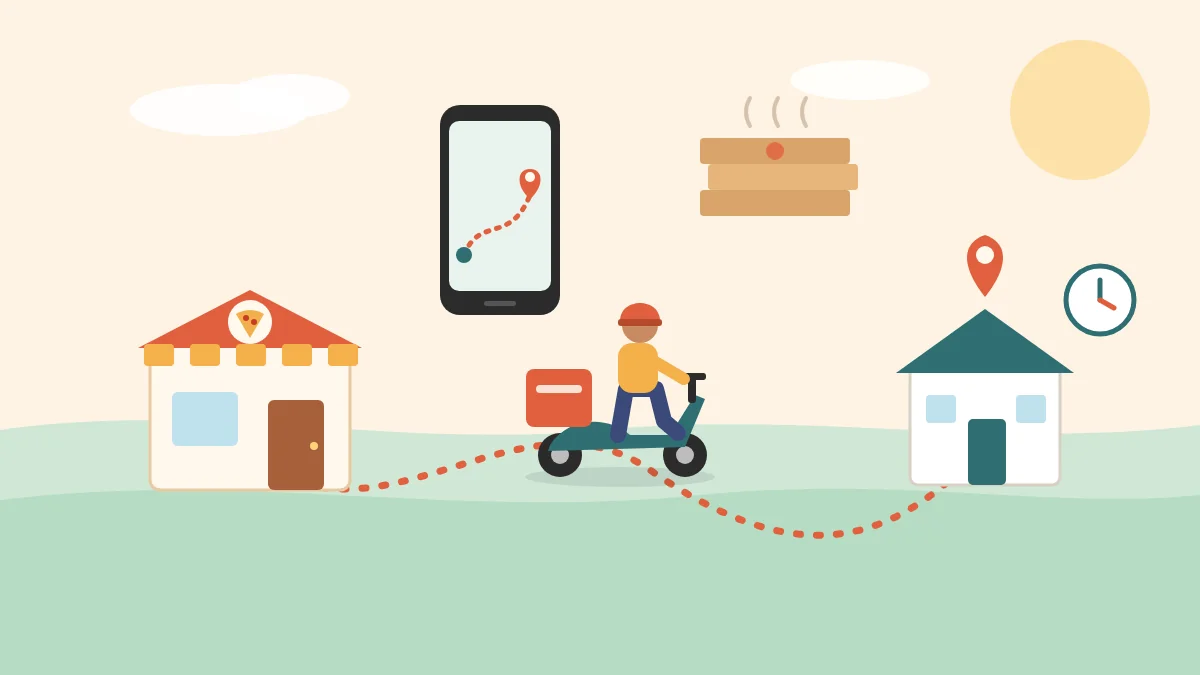
- Choose pickup or delivery. Carryout means collecting it yourself; delivery depends on your address being in a store’s range.
- Pick your store. Enter a ZIP code, city or address, or let the app use your location. The menu and prices change to that store’s, so choose the one you’ll actually go to. Check its store hours and the locator if you’re ordering late.
- Build your order. Tap an item to change the crust, toppings or extras. Look at Today’s Deals first: Little Caesars says these are online-only offers.
- Check out. Add a promo code if you have one, review the total (tax, and any delivery fee and tip) and pay.
- Collect or wait. The app notifies you when the order is ready. For pickup, go to the counter, or straight to the Pizza Portal if your store has one and you chose it.
The Little Caesars app
The official app is called Little Caesars on Google Play and Little Caesars Pizza on the App Store, both published by Little Caesar Enterprises, Inc. It’s free. Before you install, check that the developer is Little Caesar Enterprises, Inc.
| App Store (iPhone) | Google Play (Android) | |
|---|---|---|
| Rating | 4.8 from about 809,000 ratings | 4.7 from about 630,000 reviews |
| Downloads | Not shown | 10 million+ |
| Price | Free | Free |
According to its store listings, the app has four main features:
- Pickup or delivery ordering from your chosen store
- Pizza Portal Pickup: collect your order from an in-store locker with a confirmation code
- Today’s Deals: offers Little Caesars says are online-only
- Little Caesars Challenges: complete a Challenge to earn a reward on a future order. Accept the Challenge before you order, or the purchase won’t count
Challenges need a free Little Caesars app account.
Picking up an online order
You have two ways to collect, depending on your store.
At the counter. Collect your order from staff. Every store offers this.
From the Pizza Portal. The Pizza Portal is a heated, self-service locker that Little Caesars announced in 2017 and began rolling out nationally in 2018. You pay in the app when you order. When the order is ready, the app notifies you; you then enter your 3-digit PIN or scan your QR code at the Portal, and the right door unlocks. You don’t need to speak to anyone. It’s only at participating stores, so if Pizza Portal isn’t offered at checkout, your store doesn’t have one.
Hot-N-Ready vs online orders. Online orders are made for you, not pulled from the warmer, so they take a normal bake time. If you only want a Classic pepperoni or cheese and don’t mind the counter, walking in for a Hot-N-Ready is faster.
Paying online, and deals you only get online
Online orders are usually paid at checkout. Your payment options appear on the checkout screen; pay up front if you want to use the Pizza Portal, since it only releases orders that are already paid.
The biggest reason to order online is the deals. These offers are online-only and don’t ring up at the counter:
| Offer | What it is | Status |
|---|---|---|
| More for $9.99 menu | Combos of two or more items for $9.99, such as two large Classic pizzas | Launched July 2025, online only |
| Mix-N-Match | Two or more qualifying items for $5.99 each, code MIXNMATCH | Limited-time, online only |
| Today’s Deals (app) | Rotating offers | Varies by store |
| Challenges | Rewards for completing an app Challenge | Ongoing, app account needed |
Promo codes only work on Little Caesars’ own app and website, never on DoorDash or Uber Eats. See our list of current online deals, tested at checkout.
What you can and can’t order online
Online ordering covers most of the menu, but not all of it, and the online menu differs between stores. When we checked four Bay Area stores’ online menus on 16 September 2026:
- The Classic Hot-N-Ready tier wasn’t listed online at any of the four. It’s a walk-in product, priced on the counter board.
- The Lunch Combo wasn’t listed online either. Buy it at the counter between 11 a.m. and 2 p.m.
- Specialty, Detroit-Style, stuffed crust and custom pizzas were all online, along with sides, wings and drinks.
The reverse is true for deals: More for $9.99 and Mix-N-Match exist only online. So walk in for a Classic or a Lunch Combo, and order online for anything custom or for an online bundle.
Want it brought to you instead? Our guide to Little Caesars delivery compares the app with DoorDash and Uber Eats.
Ordering FAQs
Can you order Little Caesars online?
Yes, on the Little Caesars app or littlecaesars.com, for pickup or delivery at participating stores.
Where should I order Little Caesars from?
The official app or website. You get your store’s own prices, Little Caesars promo codes and online-only deals. DoorDash and Uber Eats also carry Little Caesars, but at their own, usually higher, menu prices.
Is the Little Caesars app free?
Yes. It’s free on the App Store and Google Play, published by Little Caesar Enterprises, Inc.
Do I need an account to order?
You need a free app account to use Little Caesars Challenges. Create one in the app before your first order so the order counts.
Why isn’t the Hot-N-Ready pizza in the app?
At many stores the Classic Hot-N-Ready is sold only at the counter. Online, look for the More for $9.99 bundle, which includes two large Classic pizzas where your store offers it.
How do I use the Pizza Portal?
Choose Pizza Portal pickup at checkout and pay in the app. When you’re notified the order is ready, enter your 3-digit PIN or scan your QR code at the Portal, and the door unlocks.
Can I order Little Caesars by phone?
Each store’s phone number is in the Little Caesars locator, so call your store to ask whether it takes phone orders. Online-only deals won’t apply to a phone order.